
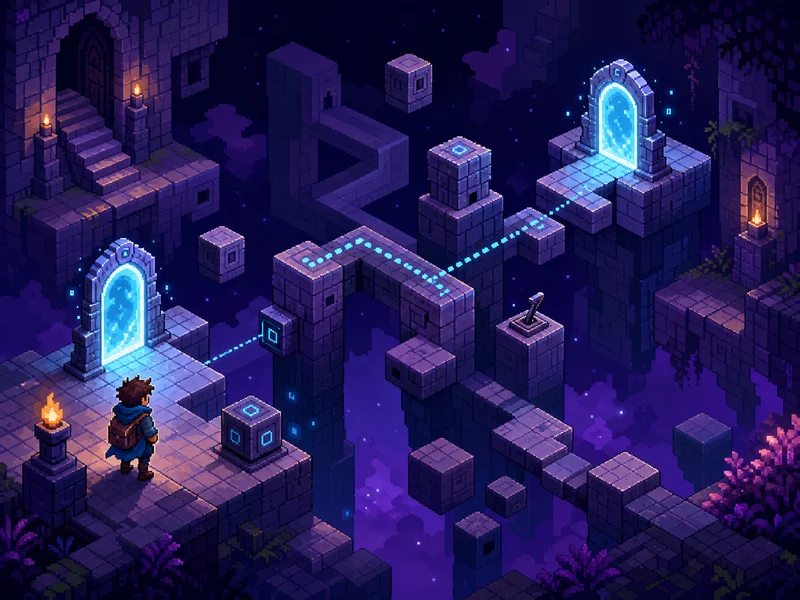
Start with a spatial inventory
Before making the first move in a chamber, list what matters:
- your starting position;
- the apparent goal or exit;
- each teleport element and the spaces around it;
- walls, hazards, movable elements, or one-way restrictions visible in the room;
- any tile that can only be reached from one direction.
This inventory separates facts from assumptions. Puzzle frustration often comes from mentally adding a rule—“I probably cannot approach from there,” or “this must preserve direction”—before the game has demonstrated it.
Learn one teleport property at a time
Teleport mechanics can affect several variables: position, facing, direction of motion, access to a sealed region, or the relationship between two points. Do not test all of them at once.
Choose the smallest reversible experiment available. Enter from one side and observe the result. If the chamber permits it, repeat from another side. Record what stays constant and what changes.
A useful mental table looks like this:
| Question | Observation |
|---|---|
| Where did entry occur? | Note the exact side or tile. |
| Where did exit occur? | Note the paired location. |
| Did facing or movement change? | Compare before and after. |
| Can the same route be reversed? | Test only if the room allows it. |
The answer does not need to be written down, but thinking in this form prevents a failed attempt from becoming meaningless repetition.
First-session solving routine
1. Read the live prompts
The official itch.io page does not publish a permanent key list. Use the current build's on-screen instructions for movement, restarting, or any special action. Browser shortcuts can also change how a key behaves, so the live interface is safer than an undocumented control claim.
2. Locate the impossible gap
Ask why the goal cannot be reached by ordinary movement. Is it behind a wall, aligned incorrectly, approached from the wrong side, or separated by a space you cannot cross? That obstacle tells you what the teleport must solve.
3. Predict before acting
State the expected result in plain language: “Entering here should place me there,” or “This route should let me approach the goal from below.” A prediction makes the next move a test.
4. Compare result with prediction
If the move fails, identify which part was wrong. Did the teleport exit elsewhere? Did orientation matter? Was access blocked after arrival? Do not immediately repeat the full sequence.
5. Reset with a revised model
A restart is productive when it includes a new theory. Repeat only the portion needed to test that theory.
Solve the exit before the entry
Players naturally focus on reaching a teleport. In many spatial puzzles, the harder problem is what happens after arrival.
Work backward from the goal:
- Which nearby tile or direction would make the goal reachable?
- Which teleport exit can place you there?
- What entry state is needed to produce that exit?
- Can the opening position reach that entry state?
This reverses a room with many possible moves into a smaller chain of requirements. It also exposes attractive but useless teleport routes: an entry may be accessible and visually dramatic while leaving you trapped on the wrong side.
Track state, not just location
If a chamber contains anything that changes—an object moves, a path closes, a teleport relationship changes, or the character approaches from a different direction—then the room has state. Two visits to the same tile may not be equivalent.
When a sequence almost works, ask what state is missing at the final step. The solution may require preparing the destination before teleporting, preserving access to a return path, or arriving with a different orientation.
Avoid assuming such systems exist until the chamber demonstrates them. The point is to notice state when it is visible, not to burden every room with imaginary complexity.
Make failed attempts useful
A useful failure answers one question. An unhelpful failure repeats several uncertain actions and ends with no clear lesson.
After a failed run, classify it:
- Rule failure: your understanding of the teleport was wrong.
- Route failure: the rule was right, but the chosen path could not reach the needed entry.
- Order failure: the same actions may work in another sequence.
- State failure: an earlier action changed the chamber in an unhelpful way.
- Execution failure: the plan was sound, but the input did not match it.
Only the last category calls for simply trying the same plan again.
When you feel stuck
Remove assumptions
List every “cannot” in your current theory. Which ones did the game prove? Test the weakest assumption with a small move.
Draw the teleport as an edge
Imagine the chamber as a graph. Walkable spaces are connected normally; a teleport adds a special connection between distant points. The puzzle may become clearer when you stop treating the room as continuous physical space.
Reduce the room to requirements
Ignore decorative tiles and ask what must be true immediately before success. Then solve one prerequisite at a time.
Take a real break
Compact rule puzzles can lock your attention onto one interpretation. A short pause is often more effective than repeating the same sequence faster.
Common mistakes
Entering the first reachable teleport immediately
Accessibility does not prove usefulness. Determine whether the exit advances the goal.
Changing multiple variables in one experiment
If you enter from a new side after also moving an object and altering the route, the result cannot tell you which change mattered.
Treating a reset as lost progress
In a short chamber puzzle, knowledge is the persistent resource. A reset with better information is progress.
Searching for a hidden story solution
The official page's corrupted prose is playful atmosphere, but the room still communicates through visible mechanics. Do not invent lore requirements unsupported by the puzzle.
Looking up a full solution too early
A chamber answer solves one room. Understanding the teleport rule helps with every later room. If you need help, look for a hint that identifies a mistaken assumption rather than a complete move list.
About the developer and style
Hempuli is the creator of Baba Is You, but Telemount should not be described as an expansion or sequel without evidence. What it shares is a design sensibility: compact spaces, rule-focused experimentation, and the pleasure of discovering that an apparently impossible position becomes simple once the mechanic is understood correctly.
The itch.io page lists Telemount as a released HTML5 Puzzle game with 2D, Fantasy, Pixel Art, Retro, and Short tags. It also states that no generative AI was used in the game.
The official description is unusually sparse and partially corrupted. That limits how specific a responsible guide can be about plot and controls. It does not prevent useful strategy: observation, prediction, controlled experiments, backward planning, and careful state tracking are all grounded in the central teleport-puzzle premise.
FAQ
Where can I play Telemount?
Play on Hempuli's official itch.io page, or open it through the FreshArcade Telemount hub.
Is Telemount free?
Yes. The official HTML5 release is listed among itch.io's free Puzzle games, with an optional support button.
Is it a full-length game?
The official page tags it Short and provides no fixed completion time. How quickly you infer each chamber's rules will determine the length.
What are the controls?
Follow the prompts in the current browser build. The public project page does not document a stable key list, so this guide does not guess one.
Is it made by the Baba Is You developer?
Yes. Both games are by Hempuli, but Telemount is presented as a separate short puzzle release.
What should I do if a teleport route almost works?
Work backward from the square and direction needed near the goal. Then check whether your entry position, action order, or chamber state can produce that exit condition.
Does the corrupted page text contain instructions?
The official page presents fragments about test chambers and Covemonty, but it does not provide a conventional manual. Use the live game's visible prompts and mechanics.
Source checked against Hempuli's official Telemount page on July 17, 2026.