

Guide hub · Play on CrazyGames
Cross the Road for Brainrot
How to play Cross the Road for Brainrot — plus a free play button that opens CrazyGames.
Opens CrazyGames in a new tab. FreshArcade publishes guides only — we do not embed or rehost third-party game files.
What is Robby: Cross the Road for Brainrot?
The game combines obstacle-dodging, collecting, and incremental progression. You play as Robby, crossing busy roads to find Brainrots and carry them back through oncoming traffic. Each successful delivery expands or strengthens your collection, helping you earn better rewards for later runs.
- Best for
- ** Players who like timing-based movement, collectible characters, and steady base upgrades
- Skip if
- ** You want a story campaign, precise racing physics, or progression without repeated collection trips
Controls
| Action | Input |
|---|---|
| Move | WASD |
| Jump | Space |
| Rotate camera | hold right mouse button and move the mouse |
| Put down / take a Brainrot | E |
| Drop carried Brainrot | F |
| Lock the mouse cursor | Shift |
| Mobile or tablet controls | use the on-screen movement and action buttons displayed by the game; the host listing does not specify their exact layout |
Quick tips
- Watch an entire lane before entering it; the first car may hide another approaching from the same direction.
- Cross in short stages and pause on safe ground instead of attempting every lane in one sprint.
- Keep the camera aimed slightly toward incoming traffic so threats enter view earlier.
- Collect nearby Brainrots first. Short return routes build your base without risking a long carry.
Ready to try Cross the Road for Brainrot?
Play on CrazyGames in a new tab — then use the full guide for strategy.
action · Cross the Road for Brainrot
Cross the Road for Brainrot: Guide & Free Play Link
How to play Cross the Road for Brainrot — plus a free play button that opens CrazyGames.
At a glance
Robby: Cross the Road for Brainrot is a 3D action-arcade game about dodging traffic, retrieving Brainrots, and building a more profitable collection at your base. It suits players who enjoy short reflex challenges backed by incremental upgrades. This guide covers the first collection run, verified desktop controls, upgrade choices, and common problems.
What is Robby: Cross the Road for Brainrot?
The game combines obstacle-dodging, collecting, and incremental progression. You play as Robby, crossing busy roads to find Brainrots and carry them back through oncoming traffic. Each successful delivery expands or strengthens your collection, helping you earn better rewards for later runs.
Best for / skip if
- Best for: Players who like timing-based movement, collectible characters, and steady base upgrades.
- Skip if: You want a story campaign, precise racing physics, or progression without repeated collection trips.
Core loop
Leave your base, watch the traffic pattern, cross one lane or safe section at a time, and locate a Brainrot. Pick it up, survive the return journey, and place it in an available base slot. Spend the resulting rewards on Brainrot upgrades or additional slots, then repeat the trip and push farther.
How to play (first session)
- Let the game finish loading, then click inside the play area so it receives your keyboard input.
- Use WASD to walk around the base and identify the road, your placement slots, and any upgrade prompts.
- Hold the right mouse button and move the mouse to face the direction you intend to cross.
- Stop before the first traffic lane. Watch several vehicles pass so you can judge their direction, speed, and spacing.
- Cross during a clear gap. Use Space to jump when terrain requires it, but do not assume jumping makes you safe from cars.
- Approach a Brainrot and press E to take it. If the wrong object is carried, press F to drop it.
- Return by the safest route and press E at an open base position to place the Brainrot. Check that the slot fills or the displayed reward changes.
- Buy either a Brainrot upgrade for stronger rewards or a base upgrade when you need more placement slots.
Controls
- Move — WASD
- Jump — Space
- Rotate camera — hold right mouse button and move the mouse
- Put down / take a Brainrot — E
- Drop carried Brainrot — F
- Lock the mouse cursor — Shift
- Mobile or tablet controls — use the on-screen movement and action buttons displayed by the game; the host listing does not specify their exact layout
Tips that actually help
- Watch an entire lane before entering it; the first car may hide another approaching from the same direction.
- Cross in short stages and pause on safe ground instead of attempting every lane in one sprint.
- Keep the camera aimed slightly toward incoming traffic so threats enter view earlier.
- Collect nearby Brainrots first. Short return routes build your base without risking a long carry.
- Plan the return before pressing E; carrying something is the worst time to discover your route is crowded.
- Leave one slot available until you understand how expensive the next base expansion is.
- Upgrade a productive Brainrot when slots remain open; buy capacity when a full base prevents another delivery.
Common mistakes
- Running immediately without learning which direction each lane flows.
- Looking only at the nearest vehicle instead of the gap behind it.
- Jumping into traffic and expecting the jump to guarantee safety.
- Carrying a Brainrot farther away instead of returning it to the base.
- Spending everything on capacity while leaving placed Brainrots weak.
FAQ
What is the main objective?
Collect Brainrots across the road, return them to your base, and improve your collection while avoiding traffic.
How do I pick up or place a Brainrot?
Stand close to the Brainrot or base position and press E. Use F when you only want to drop what you are carrying.
What should I upgrade first?
Improve a placed Brainrot if you still have free slots. Expand the base when limited capacity is blocking new deliveries.
Can I play on mobile?
Yes. CrazyGames lists browser support for desktop, mobile, and tablet, although the exact touch-control layout is not documented.
Why are my controls not responding?
Click inside the game window first. If the pointer keeps escaping while you turn, press Shift to lock the cursor.
Ready to make your first run? Play free on CrazyGames via Cross the Road for Brainrot.
Play + deep guide
Cross the Road for Brainrot — free on CrazyGames
Jump to the host for a live session, or open the full editorial how-to for strategy and FAQ.
Deep dive article
How to Play Robby: Cross the Road for Brainrot: Tips, Controls & Strategy
Learn how to play Robby: Cross the Road for Brainrot: core loop, first-session walkthrough, practical tips, and common mistakes.
Similar games
More action guides
 actionFree
Float for Brainrots
How to play Float for Brainrots — plus a free play button that opens CrazyGames.
CrazyGames
 actionFree
collect brainrot arena
How to play collect brainrot arena — plus a free play button that opens CrazyGames.
CrazyGames
 actionFree
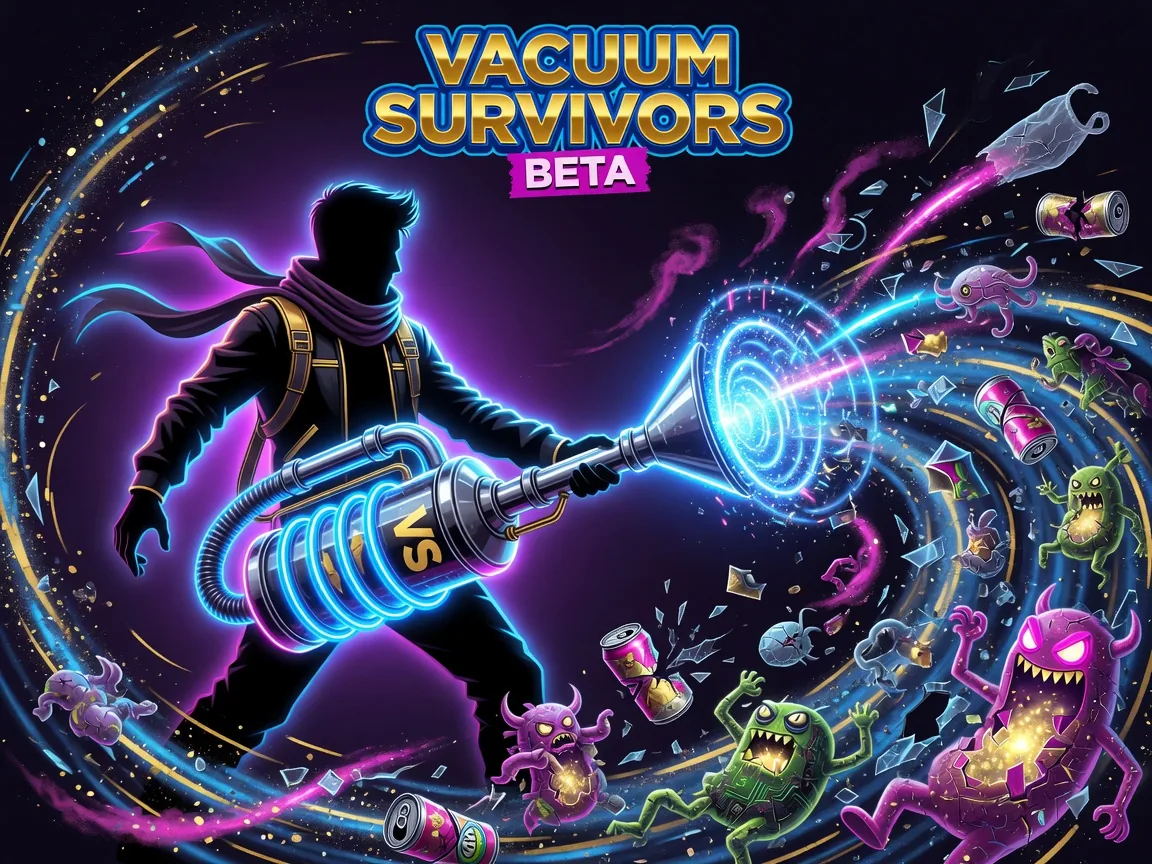
Vacuum Survivors Beta
How to play Vacuum Survivors Beta — plus a free play button that opens itch.io.
itch.io
 actionFree
steal a brainrot
How to play steal a brainrot — plus a free play button that opens Poki.
Poki
 actionFree
Oozy's Lab
Guide a bouncy slime through chaotic lab rooms — grab the moon, survive sawblades, and expect every button to misbehave.
Poki
 actionFree
Smash Room
Pick a laptop, cake, or boombox, arm rockets or a baseball bat, and obliterate voxel objects in a pure smash sandbox.
Poki