

Guide hub · Play on CrazyGames
Droll World Cup
How to play Droll World Cup — plus a free play button that opens CrazyGames.
Opens CrazyGames in a new tab. FreshArcade publishes guides only — we do not embed or rehost third-party game files.
What is Droll World Cup?
It is a casual football / soccer game with ragdoll-friendly physics: contact knocks players around, the ball can launch bodies, and goals often look accidental. The core loop is simple—get on the ball, keep it under you with jumps and bumps, clear the net more often than the other side. Solo, an AI can fill a side; local two-player is built in for couch chaos.
- Best for
- ** short browser sessions, co-op or 1v1 laughs, fans of physics soccer over skill-move menus
- Skip if
- ** you want full-pitch 11v11 sim, career depth, or precise FIFA-style control schemes
Controls
| Action | Input |
|---|---|
| Player 1 move left | A |
| Player 1 move right | D |
| Player 1 jump | W |
| Player 2 move left | Left arrow |
| Player 2 move right | Right arrow |
| Player 2 jump | Up arrow |
| Mobile / touch | use on-screen stick or buttons shown in the host UI (exact layout can vary by device; check the prompt before the whistle) |
| Menus / team pick | click or tap the roster and mode options in the game window |
Quick tips
- Treat jump as a timing tool, not a spam button—jumping into the ball changes trajectory more than running past it.
- Arrive slightly early to loose balls; late lunges often leave you ragdolled while the opponent scores.
- Use contact as defense: a well-timed body bump near your box clears danger better than desperate chase.
- Near the opponent’s goal, short controlled approaches beat full-speed charges that overshoot the ball.
Ready to try Droll World Cup?
Play on CrazyGames in a new tab — then use the full guide for strategy.
sports · Droll World Cup
Droll World Cup: Guide & Free Play Link
How to play Droll World Cup — plus a free play button that opens CrazyGames.
What is Droll World Cup?
It is a casual football / soccer game with ragdoll-friendly physics: contact knocks players around, the ball can launch bodies, and goals often look accidental. The core loop is simple—get on the ball, keep it under you with jumps and bumps, clear the net more often than the other side. Solo, an AI can fill a side; local two-player is built in for couch chaos.
Best for / skip if
- Best for: short browser sessions, co-op or 1v1 laughs, fans of physics soccer over skill-move menus.
- Skip if: you want full-pitch 11v11 sim, career depth, or precise FIFA-style control schemes.
Core loop
Pick a side from the large World Cup–style roster → drop into a landscape pitch → fight for possession with left/right movement and jumps → use body contact and the ball’s momentum to knock opponents off the ball → score, reset shape, and repeat until the match ends. Every possession is a small physics puzzle: where you jump and who you bump matter more than fancy combos.
How to play (first session)
- Open the game in landscape (desktop or phone), then choose a match mode you can finish in one sitting—solo with AI support or local two-player if someone is free.
- Select a national-style team from the roster and note which side is yours before kickoff.
- On PC, lock in Player 1 keys first: A/D to slide, W to jump. Do not mash; one clean jump near the ball beats spam.
- Spend the first minute only on timing: approach the ball, jump through contact, and watch how collisions fling players.
- When you have the ball near goal, prioritize a controlled bump or jump that keeps the ball moving forward—not a full-field sprint that leaves you airborne and empty.
- After each goal (either way), reset mentally: reclaim midfield space, then re-challenge the next loose ball.
- If a friend joins, assign Player 2 arrows early so both sides move on the same kickoff, not after the first own-goal.
Controls
Desktop bindings listed on the CrazyGames host page:
- Player 1 move left — A
- Player 1 move right — D
- Player 1 jump — W
- Player 2 move left — Left arrow
- Player 2 move right — Right arrow
- Player 2 jump — Up arrow
- Mobile / touch — use on-screen stick or buttons shown in the host UI (exact layout can vary by device; check the prompt before the whistle)
- Menus / team pick — click or tap the roster and mode options in the game window
There is no separate “shoot” key on the published scheme: goals come from movement, jumps, and collision physics with the ball.
Tips that actually help
- Treat jump as a timing tool, not a spam button—jumping into the ball changes trajectory more than running past it.
- Arrive slightly early to loose balls; late lunges often leave you ragdolled while the opponent scores.
- Use contact as defense: a well-timed body bump near your box clears danger better than desperate chase.
- Near the opponent’s goal, short controlled approaches beat full-speed charges that overshoot the ball.
- In 2P, decide lanes early (one stays high, one covers back) so you do not both dive for the same bounce.
- Solo: let the AI help hold shape while you focus on the ball—you still need to win the chaotic 50/50s.
- After you concede, do not all-out press; rebuild position first or the next bounce will punish you again.
- Landscape mode and a stable tab matter more here than “settings tweaks”—the pitch is side-view and fast.
Common mistakes
- Spamming jump until you bounce yourself out of every duel.
- Ignoring Player 2 keys until the friend is already losing 0–2.
- Playing it like a sim (waiting for perfect passes) instead of fighting for every bounce.
- Both co-op players attacking at once and leaving the net empty.
- Tilting after a comedy own-goal and abandoning midfield shape.
FAQ
Is Droll World Cup free in the browser? Yes on CrazyGames as a free online title—open the host page and play without a separate retail purchase.
Is it real 11v11 football? No. It is 2D arcade soccer with exaggerated physics and short, chaotic matches.
Can I play with a friend on one machine? Yes. The host lists local two-player with separate keyboard schemes (WASD-style vs arrows).
Does it work on phone? The listing supports browser on mobile/tablet (landscape) and the CrazyGames app on Android; use the on-screen controls shown in-game.
How do I shoot? There is no dedicated shot button in the published controls. Goals come from positioning, jumps, and knocking the ball (and players) with physics.
Is there an AI if I play alone? The host describes a capable AI teammate option for enjoyable solo sessions.
When you are ready, play Droll World Cup free on CrazyGames.
Play + deep guide
Droll World Cup — free on CrazyGames
Jump to the host for a live session, or open the full editorial how-to for strategy and FAQ.
Deep dive article
How to Play Droll World Cup: Tips, Controls & Strategy
Learn how to play Droll World Cup: core loop, first-session walkthrough, practical tips, and common mistakes.
Similar games
More sports guides
 sportsFree
soccer real
How to play soccer real — plus a free play button that opens Poki.
Poki
 sportsFree
Soccer Skills 2 World Cup
Lead a national team through knockout football with drag-and-release passes, shots, and set pieces.
Poki
 sportsFree
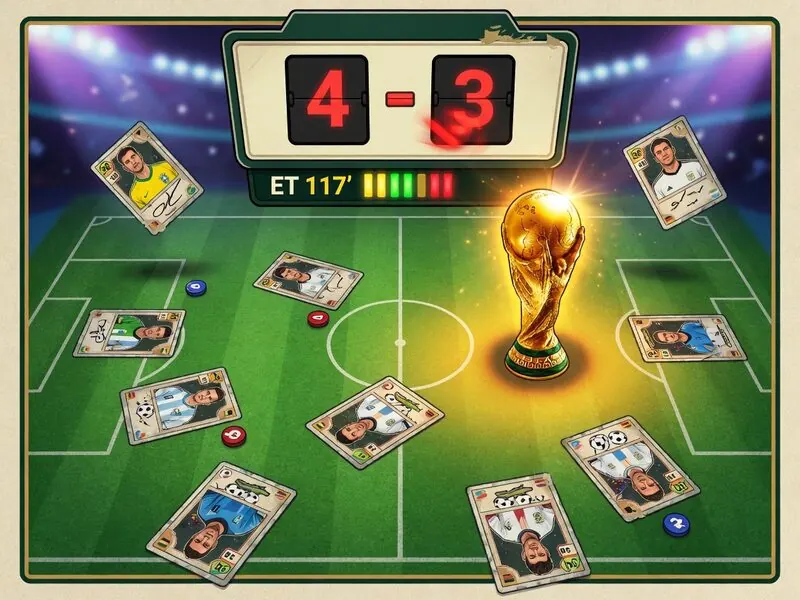
7a0
How to play 7a0, strategy tips, and a free play button that opens 7a0.org in a new tab.
7a0.org
 newFree
Fishing Anomaly
How to play Fishing Anomaly — plus a free play button that opens CrazyGames.
CrazyGames
 newFree
cat mail co
How to play cat mail co — plus a free play button that opens CrazyGames.
CrazyGames
 newFree
metamancer
How to play metamancer — plus a free play button that opens CrazyGames.
CrazyGames