
Core loop
Most of a session looks like this:
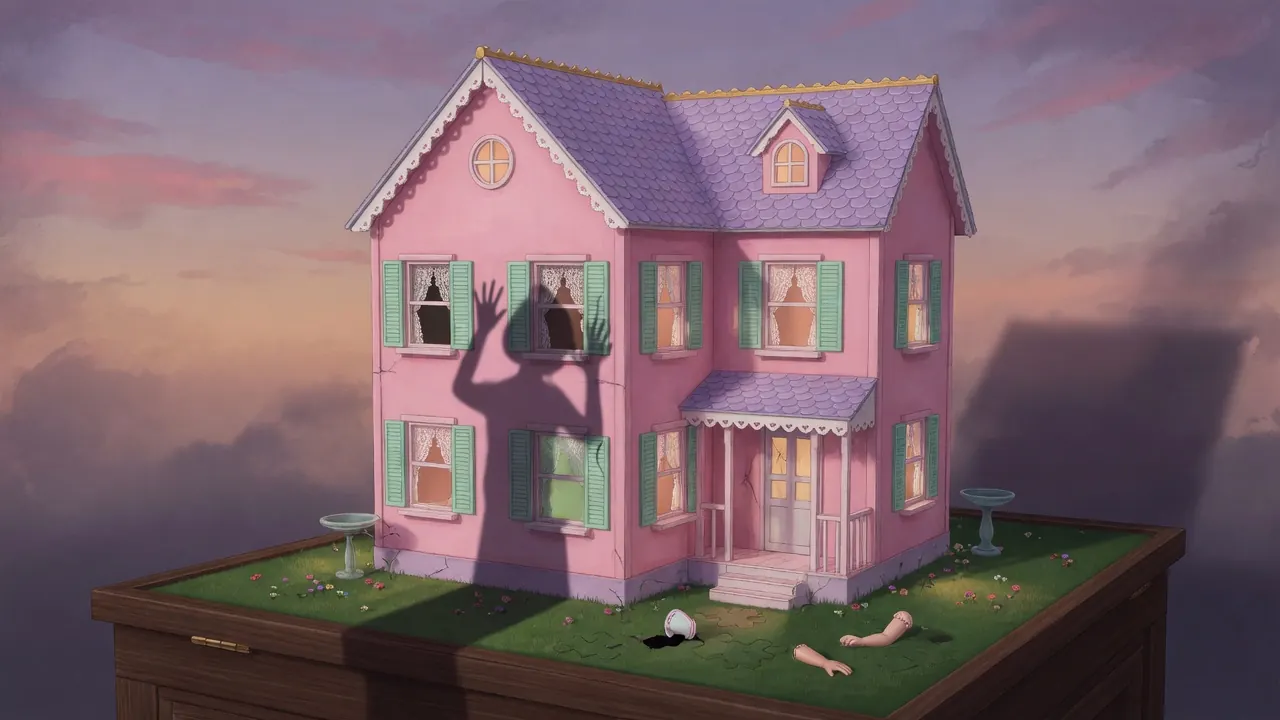
- Enter or re-scan a room — walls, furniture, toys, notes, and anything that breaks the “pretty pink” mood.
- Interact with hotspots — click or tap anything that might move, open, or react.
- Collect and remember — pick up keys, scraps, codes, and odd objects; keep a mental map of where you saw locked things.
- Solve a local puzzle — match an item to a lock, rearrange something, decode a clue that only makes sense next to another room’s detail.
- Unlock the next space — a new room, drawer, or hidden panel.
- Repeat — each unlocked space feeds the next clue; atmosphere and story tighten as you push further.
You are not racing a timer in the usual arcade sense. Progress is “I understand this room well enough to leave it,” not “I cleared a wave.”
How to play (first session)
- Load the game on a host that offers it free in the browser (for example Poki) and wait until the first scene is fully interactive—do not mash through loading.
- Treat the opening room as a tutorial without a tutorial banner. Click or tap every shelf, door, toy, and surface once. Note what highlights, what opens, and what refuses you (that refusal often means “come back with a key or clue”).
- Build a short inventory habit. When something goes into inventory, say out loud (or jot) *what it might open*. Keys are rarely flavor; they are progression gates.
- When stuck, leave the puzzle in front of you and re-walk earlier rooms. Dollhouse puzzles almost always reuse a number, symbol, or object you already passed but did not “need” yet.
- Prioritize doors and containers that look wrong—slightly open, differently colored, or out of place in the pink theme. Horror-puzzle design loves the one shelf that does not match.
- Use a new key or item as soon as you find it, then immediately re-scan the newly opened space for the *next* clue. Chaining discoveries is faster than stockpiling and guessing later.
- If the game offers a pause or menu, check it once for sound, fullscreen, and any control reminder. Then stay in the rooms; most of the “how to play” is environmental.
- Expect the tone to darken. Early rooms teach interaction; later rooms reward careful observation more than speed.
Controls
Public host copy is intentionally light: click or tap to play. That usually means:
- Mouse (desktop): left-click hotspots to examine, pick up, open, or use. Move the cursor slowly over crowded shelves—tiny interactables are common in this genre.
- Touch (phone/tablet): single tap to interact. Pinch-zoom is not guaranteed; if a hotspot is hard to hit, rotate the device or try a slightly larger screen.
- Inventory (typical for this style): items you collect appear in a bar or tray. Select an item, then click/tap the target (door, lock, drawer) to attempt a use. If nothing happens, you either have the wrong item or the wrong target—do not force every item on every object forever; note failures and move on.
- What to look for on the host UI: fullscreen toggle, mute, and any in-game gear/menu icon. Exact keyboard shortcuts are not consistently published for this title, so do not assume WASD or spacebar until the game itself shows them.
If an interaction does nothing, try nearby objects and re-check inventory rather than assuming a broken control scheme.
Tips that actually help
- Photograph or sketch codes the moment you see them. Numbers on wallpaper, doll clothes, or sticky notes often belong to a lock two rooms away. Relying on memory in a pink, busy visual field is how people lose ten minutes.
- Read “cute” objects as suspects. Bows, stuffed toys, tea sets, and framed photos are classic hideouts for switches and keys in dollhouse horror. Click the pretty things first.
- One lock, one logic. If a padlock wants a three-digit code, look for three related symbols or a short sequence in the same color family—not random room numbers from everywhere.
- Backtrack after every major find. New key → old locked door → new note → old drawer. The loop is circular on purpose.
- Separate “flavor text” from “instruction text.” Story lines set mood; short labels, arrows, scratches, and repeated motifs are the real puzzle language.
- Slow the cursor on shelves and floor edges. Floor-level and top-shelf hotspots are easy to miss if you only scan center screen.
- When two items seem related (ribbon + scissors, key + labeled box), try the combination immediately before exploring further—confirmation frees mental bandwidth for the next room.
- Sound matters if your device allows it. Creaks, music stings, or silence after an open can confirm a successful interact even when the visual change is small.
Common mistakes
- Rushing room exits after grabbing the first key, then forgetting which room held the half-solved puzzle that needed it.
- Using every inventory item on every hotspot in random order. That burns time and makes it harder to notice when the *correct* use actually succeeds.
- Ignoring “failed” interactions. A door that rattles or a drawer that refuses is information: something is missing, and that something is usually nearby or one unlock away.
- Treating it like a pure clicker. Spam-clicking empty walls rarely helps; deliberate sweeps of each surface do.
- Skipping re-checks after story beats. When the tone shifts or a new room opens, earlier “dead” objects sometimes become active.
- Assuming mobile pinch will fix tiny targets. If taps miss, change orientation or device size rather than blaming yourself for “not finding” a clue that was simply hard to hit.
FAQ
Is Trapped in the Dollhouse free? Yes. You can play it free in the browser on hosts such as Poki—no paid download is required to start.
Do I need to download it? No. It runs as a browser game on supported desktop and mobile browsers. A stable connection helps loading; you do not need a store install for the standard free version.
Is it single-player? Yes. It is a solo exploration and puzzle experience—no co-op or competitive multiplayer loop.
Is it actually scary, or just “pink aesthetic”? It is sold as a horror puzzle: the dollhouse starts cute and gets darker as you dig. Expect unease and mystery more than pure action combat.
Any beginner tip if I am bad at escape-style games? After each room, write three things: what you took, what stayed locked, and one detail that felt off. That list almost always unlocks the next step faster than wandering.
Does it work on phone as well as PC? Host listings support computer, phone, and tablet via click/tap. Precision is usually easier on a larger screen, but the interaction model is the same.
Play free on Poki via /game/trapped-in-the-dollhouse.
**Is Trapped in the Dollhouse free?**
Yes. You can play it free in the browser on hosts such as Poki—no paid download is required to start.
Do I need to download it? No. It runs as a browser game on supported desktop and mobile browsers. A stable connection helps loading; you do not need a store install for the standard free version.
Is it single-player? Yes. It is a solo exploration and puzzle experience—no co-op or competitive multiplayer loop.
Is it actually scary, or just “pink aesthetic”? It is sold as a horror puzzle: the dollhouse starts cute and gets darker as you dig. Expect unease and mystery more than pure action combat.
Any beginner tip if I am bad at escape-style games? After each room, write three things: what you took, what stayed locked, and one detail that felt off. That list almost always unlocks the next step faster than wandering.
Does it work on phone as well as PC? Host listings support computer, phone, and tablet via click/tap. Precision is usually easier on a larger screen, but the interaction model is the same.
Play free on Poki via /game/trapped-in-the-dollhouse.