
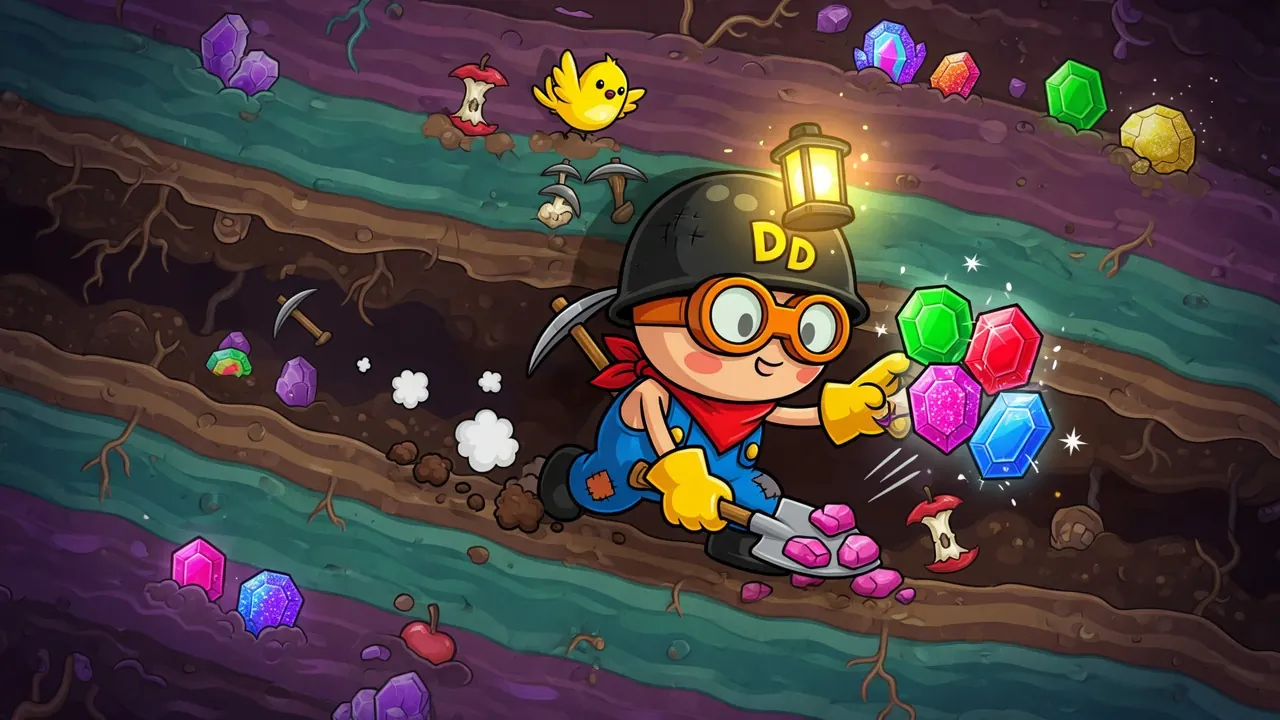
What is Dig Dan Dig!?
Dig Dan Dig! is a free browser incremental mining game by Dofu Games. You are stuck in a hole, digging rock for a sentient AI that pays you back with biological upgrades—faster movement, harder hits, drones, and more exotic tools. The fantasy is simple and sticky: start weak and manual, stack multipliers until the pit becomes a machine, then push efficiency high enough to escape. Sessions are short (often around half an hour), pixel-art, single-player, and paced like a compact arcade run rather than an endless idle tab.
Core loop
Everything circles one rhythm:
- Move through the dig site and click rock to break it.
- Pick up dropped ores and resources that scatter on the ground.
- Return to the hub to deposit progress, restock energy/ammo when systems need it, and open the upgrade path the AI offers.
- Spend resources on upgrades that change how you dig (damage, speed, automation helpers, multipliers).
- Push deeper into tougher terrain—including hotter, denser zones—with the new tools.
- Repeat until your setup feels absurdly efficient and the escape goal is within reach.
Early on you are the drill. Mid-game you share the work with drones and gadgets. Late game you are mostly choosing *where* the power goes while the hole fills with loot.
How to play (first session)
- Launch the game on the itch.io page (browser HTML5 build). Click into the play area so keyboard focus is on the game, not the page chrome.
- Learn movement first. Use WASD or the arrow keys to walk. Get comfortable circling the starting rock without frantic clicking.
- Mine with the mouse. Point at a rock and click to chip it. Stay close enough that hits land cleanly; wandering mid-swing wastes time early.
- Collect what drops. Ore and pickups appear on the ground—walk over them (and use E / Space when the game expects an “use/interact” action at the hub or terminals).
- Find the hub early. Treat it as home base: restock energy/ammo, talk to the AI’s systems, and open the upgrade/skill interface. If you sprint past it later at high speed, you can miss pickups—slow down on the approach.
- Buy the first meaningful upgrade as soon as you can. Prefer anything that shortens dig time or reduces walking (damage, collection help, or early automation). Manual mining is the tutorial; upgrades *are* the game.
- Expand outward in short trips. Dig a pocket, scoop loot, return, upgrade, dig farther. Long death-march expeditions without a restock plan feel bad until you have speed and drones.
- When the ground changes color or heat (lava-adjacent terrain, denser ore, enemies), stop treating it like a wall. That is usually the next progression band—not the map edge. Back off if you are low on resources, upgrade, then re-enter with better tools.
- Keep stacking until the loop flips. When drones and multipliers do most of the mining, shift your job to routing: which zone to clear, which upgrade multiplies the *current* bottleneck, when to fight hazardous creatures vs. farm safer rock.
- Chase peak efficiency, not every shiny node. The win condition is escape through efficiency, not vacuuming every late-game coin color. If the screen becomes a pixel soup, prioritize high-value ores and upgrades that cut clutter or increase throughput.
Controls
From the official itch.io listing (Dofu Games):
| Input | Action |
|---|---|
| Arrow keys or WASD | Move |
| Mouse click | Mine rocks |
| E or Space | Use / interact |
| P | Open menu |
Practical notes:
- Click the game canvas first; browser focus issues make movement feel “broken.”
- On non-US keyboard layouts, movement is usually the WASD finger positions, not always the letter labels. If keys fail, try switching to an English layout or rely on arrow keys.
- You need keyboard + mouse. Touch-only play is not the intended input set.
- If something still feels unresponsive, check the in-game menu (P) and the host page for updated control notes after patches—the project is still a prototype and receives updates.
Tips that actually help
- Upgrade before you explore heroically. Ten more minutes of under-upgraded clicking is slower than one trip back to buy damage or collection power.
- Bias early into systems that scale. Community runs repeatedly call out drone / resource-collector multipliers (including high drone counts) as a path that turns the game into a demolition party. Treat multi-drone setups as a legitimate “intended fun” route, not a cheese you must avoid.
- Read multiplier upgrades carefully. An “overclock” or ×2 on sawblades may not mean “more sawblades”—it may amplify what you already have. Same for speed vs. damage vs. drone range vs. fire rate: the label matters more than the big number.
- Balance three stats, not one. Pure speed without damage leaves you skating past rock. Pure damage without collection leaves piles on the floor. Pure drones without a restock habit leaves you stranded when energy/ammo matter. A common strong shape people land on is some speed + solid damage + heavy drones (exact ratios vary by patch and taste).
- Respect the lava band—then break it. Players get stuck thinking lava is the border. It is a zone gate. If drones or better tools let you chew through heat-side terrain safely, that is often how progression unsticks.
- Fight when ready, farm when not. Lava-area enemies can be hard to see in loot clutter and may have small hitboxes. Bring “full power” setups, track the core of the creature, and do not panic-fight while swimming in pickups.
- Navigate by landmarks, not pure memory. Late speed makes the hub easy to overshoot. Mentally mark the hub, ore color changes, and hazard lines so restock runs stay short.
- Late-game visual noise is normal. Yellow/blue coins and ground ore can bury rarer orange ore. Pause a second, identify which color is actually funding your next upgrade tier, and mine *that*—vacuuming everything is slower than targeted greed.
- Expect a complete-ish run in one sitting. Average sessions are about half an hour. Plan to finish a prototype run in one focused block rather than leaving a half-broken browser tab overnight.
Common mistakes
- Treating it like pure idle. Early Dig Dan Dig! wants you to walk, click, and decide. Automation comes after investment, not before the first upgrade.
- Never returning to the hub. Running dry on energy/ammo mid-zone is a self-inflicted soft lock. Build a restock habit before you unlock “I never need the base.”
- Assuming lava = map end. Several players stalled until they realized deeper content continues past the heat line—with better tools.
- Blind multiplier stacking without reading the target. Putting overclocks on the wrong subsystem (e.g. expecting extra blades when you only sped them up) wastes the most expensive purchases of the run.
- Ignoring enemies until they delete you. Combat is not the whole game, but lava fauna punish under-geared tourism.
- Chasing every ground coin in the endgame. Throughput and the escape condition matter more than perfect floor hygiene—especially when lower-tier drops mostly clutter the screen.
- Fighting the keyboard layout instead of the hole. If WASD fails, try arrows or the physical WASD positions for your layout before you abandon the run.
FAQ
Is Dig Dan Dig! free? Yes. You can play the HTML5 prototype free in the browser on itch.io. Optional support/donations may exist on the page; they are not required to play.
Do I need to download it? No for the default browser play path. Offline play via the itch app is mentioned by the developer as possible, with a native build also in the works. Steam is planned for later—not required for the free browser version.
Is it single-player? Yes. Tags and design assume a solo run: you, the hole, the AI, and your upgrade path.
How long does a run take? Roughly on the order of about half an hour for a full prototype clear, depending on upgrade choices and how long you linger farming. Some players finish near the 40-minute mark; others replay for fun.
What should beginners buy first? Anything that reduces time-to-ore: mining damage, movement that shortens trips, and early collection/automation so you stop leaving piles behind. Once the loop is comfortable, lean into drones and multiplicative upgrades that scale the whole dig rather than one-off cosmetics.
What is the actual goal? Harvest ores for the AI, accept biological upgrades, reach peak efficiency, and escape the hole. It is not an endless sandbox with no ending—the prototype is built around that power-fantasy arc and a complete-feeling finish.
Any accessibility / input gotchas? Keyboard + mouse. If movement keys fail, check focus, try arrows, and verify keyboard layout. Open P for the menu if you need a pause or settings mid-run.
Ready to dig? Play free on itch.io via /game/dig-dan-dig.
**Is Dig Dan Dig! free?**
Yes. You can play the HTML5 prototype free in the browser on itch.io. Optional support/donations may exist on the page; they are not required to play.
Do I need to download it? No for the default browser play path. Offline play via the itch app is mentioned by the developer as possible, with a native build also in the works. Steam is planned for later—not required for the free browser version.
Is it single-player? Yes. Tags and design assume a solo run: you, the hole, the AI, and your upgrade path.
How long does a run take? Roughly on the order of about half an hour for a full prototype clear, depending on upgrade choices and how long you linger farming. Some players finish near the 40-minute mark; others replay for fun.
What should beginners buy first? Anything that reduces time-to-ore: mining damage, movement that shortens trips, and early collection/automation so you stop leaving piles behind. Once the loop is comfortable, lean into drones and multiplicative upgrades that scale the whole dig rather than one-off cosmetics.
What is the actual goal? Harvest ores for the AI, accept biological upgrades, reach peak efficiency, and escape the hole. It is not an endless sandbox with no ending—the prototype is built around that power-fantasy arc and a complete-feeling finish.
Any accessibility / input gotchas? Keyboard + mouse. If movement keys fail, check focus, try arrows, and verify keyboard layout. Open P for the menu if you need a pause or settings mid-run.
Ready to dig? Play free on itch.io via /game/dig-dan-dig.