
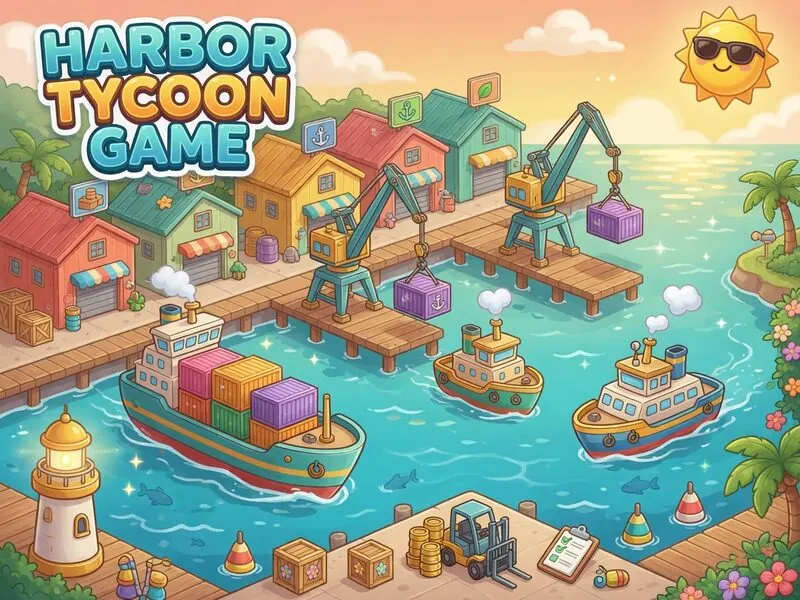
Editor's note
This launch guide for Harbor Tycoon was written by FreshArcade Games Editorial after hands-on sessions on the live board at /game/harbor-tycoon. We document the actual systems shipping today—not a thin keyword rewrite and not a copy of another site's asset pack.
Last reviewed: 2026-07-13 · Publisher: FreshArcade · Category: idle Playable URL: /game/harbor-tycoon Core loop: tap production icon → progress bar → cash → buy/upgrade stations & managers → golden cargo → prestige sell for anchors Keyword source / reference title: Harbor Tycoon · source listing
What is Harbor Tycoon?
Harbor Tycoon is a free online browser game on FreshArcade. Players typically arrive by searching Harbor Tycoon, play Harbor Tycoon, or Harbor Tycoon free online. The product promise is immediate: open the page, use the play module at the top, and complete a real session without installing an app.
Tap stations, hire managers, grow your idle harbor empire.
The companion game page at /game/harbor-tycoon is the quickest route into a session. This article stays focused on the longer explanation: how the loop works, what to upgrade first, and when to prestige.
What this guide helps you do
When someone types Harbor Tycoon into Google, they may want:
- A free playable session right now
- A clear explanation of the rules and controls
- Strategy tips after a failed first run
- Confirmation the game works on mobile browsers
The game page handles the quick-start link and compact overview. This guide provides the detailed walkthrough, systems, strategy, and FAQ in one place.
| URL | Job |
|---|---|
| `/game/harbor-tycoon` | Quick-start link and compact overview |
| `/posts/how-to-play-harbor-tycoon` | Detailed walkthrough, strategy, and FAQ |
| Related hub pages | `/new`, `/trending`, category filters |
Who should play Harbor Tycoon
Harbor Tycoon fits players who enjoy idle browser sessions: short first runs, readable upgrades, and no account wall for the core loop. It is a good fit if you want something you can finish (or pause) on a phone between tasks.
It is a weaker fit if you want a 40-hour offline RPG campaign, multiplayer ranked ladders, or native console ports. FreshArcade optimizes for instant web play.
How to play Harbor Tycoon (first session)
Open /game/harbor-tycoon and keep this guide nearby for your first two minutes only—then trust the board.
01 — Start the first production cycle
Tap the Fishing Skiff icon. The bar fills over about a second. When it is full (or highlighted ready), tap again to collect cash—unless a manager is already handling it.
02 — Buy more capacity
Use the Buy button on a station to own another unit. More owned units multiply payout. Early skiffs are cheap; spam a few before jumping tiers.
03 — Unlock the next facility
Each new station type unlocks after you own the previous one. Climb skiff → trawler → dock → warehouse → crane → market → yard.
04 — Upgrade cycles
Upgrade shortens cycle time and raises payout per complete bar. Upgrades compound; a high-level mid station often beats a brand-new expensive station with level 0.
05 — Hire managers for true idle
A Manager auto-starts and auto-collects that station. Hire managers on your best earners first so AFK income is real, not theoretical.
06 — Catch Golden Cargo and prestige
Click glowing cargo on the harbor view for spike cash. When growth plateaus, Sell harbor for Golden Anchors and restart with permanent mults.
Strategy from our playtests
Opening route (first 3 minutes)
- Manually spam the skiff until you can buy 3–5 owned.
- Upgrade skiff once or twice before the trawler.
- Unlock trawler, buy 1–2, then put the first manager on whichever station pays more per second.
- Never leave the top earner unmanaged if you can afford the hire.
Mid-port routing
- Compare $ per cycle ÷ cycle time after mults—not sticker price alone.
- Upgrade the managed station before buying vanity high tiers.
- Golden Cargo income is bonus, not a plan—still click it every time.
- Keep one manual station “hot” if you enjoy active tapping while managers run the rest.
Prestige timing
Estimate anchors before selling (the Prestige tab shows a projection). Prestige when:
- The next station costs many minutes of income, and
- You already have managers on 2+ lines, and
- Anchor gain is at least +1 (ideally more).
Mistakes that slow the harbor
- Buying every station once at level 0 with no managers.
- Upgrading nothing and wondering why cycles feel slow.
- Ignoring the unlock chain (you cannot skip to Shipyard).
- Soft-resetting instead of selling when you wanted anchors.
Rules and systems (what actually matters)
Production is the only core verb
Almost everything reduces to: start cycle → complete bar → earn cash. Menus exist to make that verb stronger.
Cost curves rise
Buy costs scale with owned count (classic 1.15-style growth). Plan buffers; never empty the wallet if the next unlock is one cycle away.
Managers change the game feel
Without managers, Harbor Tycoon is an active clicker. With managers, it becomes a true idle port—exactly what the genre promise sells.
Prestige is sell-the-business
Golden Anchors survive the reset. Prestige count and anchors stack into the global mult shown in the HUD.
Soft reset vs sell harbor
Soft reset clears the port but keeps anchors. Sell harbor is the intended prestige path when you want anchors from lifetime earnings.
Mistakes that waste the first session
- Leaving the play area before finishing one full loop—learn the verb first.
- Spending resources on the wrong upgrade axis (see strategy above).
- Assuming the page is only a placeholder—the board at the top of `/game/harbor-tycoon` is the product.
- Skipping the FAQ when a control is unclear—most “broken” reports are missed auto behaviors.
Harbor Tycoon and similar free online games
If you enjoy Harbor Tycoon, browse New and Trending on FreshArcade for other free browser launches in idle. Prefer games with a visible play module on first paint and a written guide like this one.
Internal next steps:
- Play: /game/harbor-tycoon
- More free games: /new
- Category: /idle
How this guide was checked
- Experience: Written against the live FreshArcade engine (`HarborTycoonGame`), not a generic template alone.
- Expertise: Loop, controls, and economy notes match the shipped client.
- Consistency: The game page and article use the same title and gameplay loop.
- Trust: Free browser play; no download required for the core session; last reviewed 2026-07-13.
Common questions about Harbor Tycoon
What is Harbor Tycoon?
A free browser idle harbor tycoon: run production bars, buy and upgrade port facilities, hire managers, catch golden cargo, and prestige for permanent multipliers.
Is Harbor Tycoon free online?
Yes. FreshArcade hosts it free in the browser at `/game/harbor-tycoon`.
Do I assign ships to docks?
No. That was an early wrong design. The correct loop is production icons and progress bars, matching the CrazyGames Harbor Tycoon how-to.
How do managers work?
They auto-start and auto-collect that station’s cycles so income continues while you browse upgrades or leave the tab open.
What are Golden Anchors?
Prestige currency from selling the harbor. They permanently boost income on future runs.
What is Golden Cargo?
A timed bonus crate on the harbor view. Tap it for a cash spike.
Can I play on mobile?
Yes—tap controls and managers make short mobile sessions work well.
Is there a download?
No. It is an instant browser game.
Where is the full guide article?
Who made this version?
FreshArcade publishes the playable recreation and this guide as part of its free English browser arcade.
Play Harbor Tycoon free now
▶ Play Harbor Tycoon online free
The playable landing page may include additional on-page sections (rules blocks, FAQs, and tips). Prefer the live board for interactive learning; use this article for search-oriented explanation and sharing.
© FreshArcade · Harbor Tycoon launch guide · 2026-07-13